

If you’ve been seeing a bunch of AI-generated action figure dolls of friends, followers, brands, and experts all over your social feeds, you’re not alone. Here’s exactly how to create one of your own – for free!
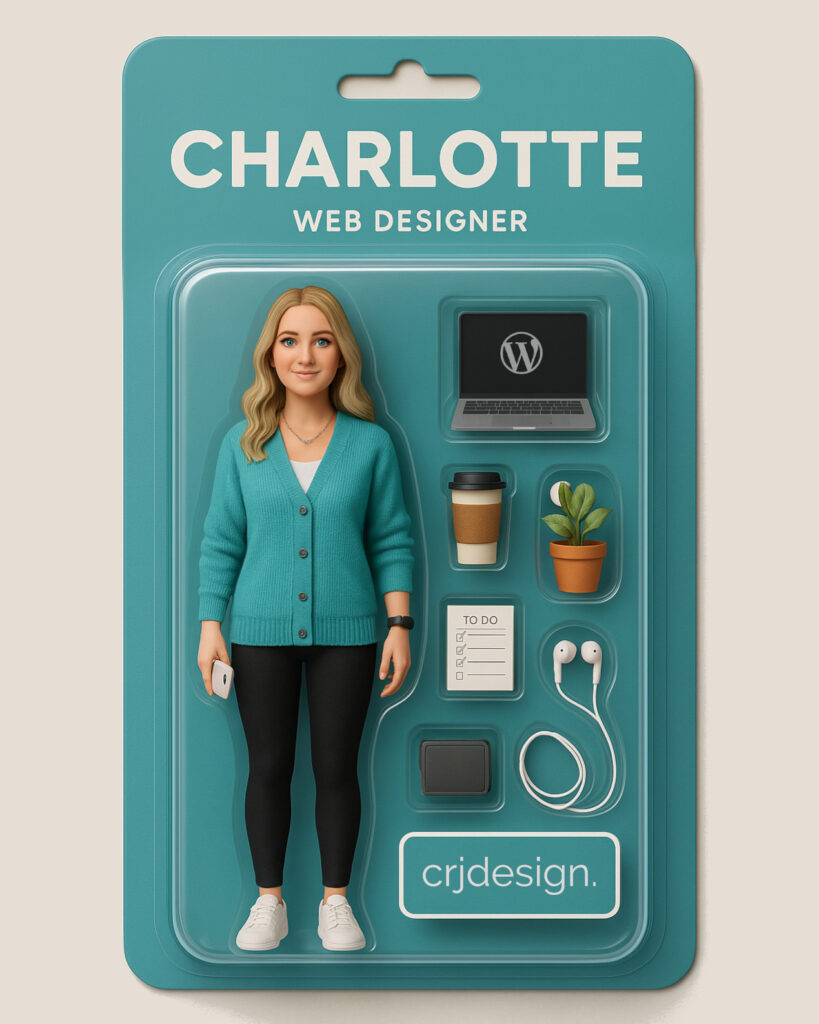
How to Make Your AI-Generated Doll
1. Go to chatgpt.com
Head to chatgpt.com and create a free account.
2. Upload a photo of yourself
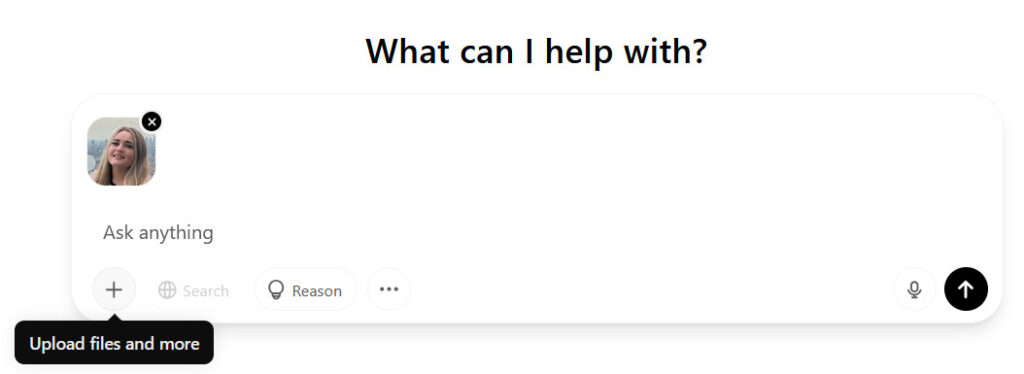
Use the plus icon (+) underneath the ‘ask anything’ box to upload a photo of yourself. You can either use a full-body photo, or just your face:
3. Ask ChatGPT to create an image
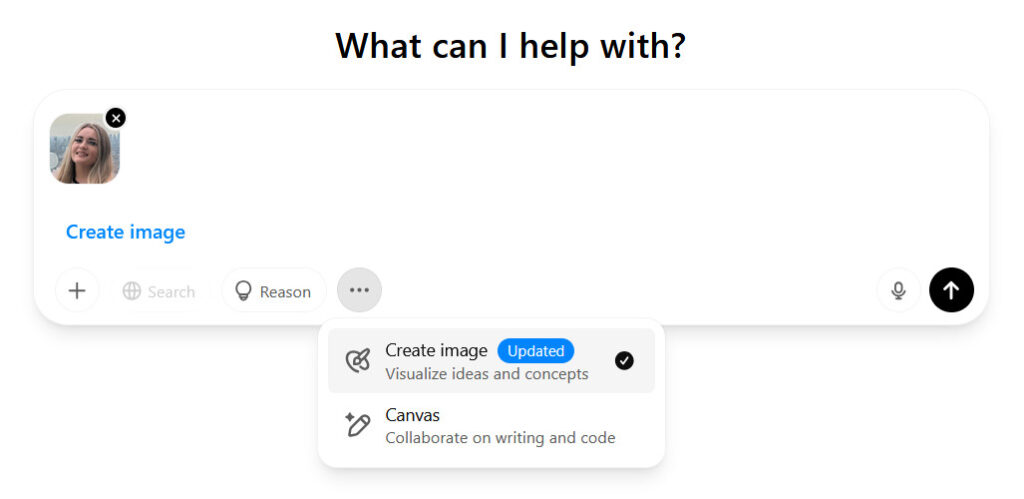
Use the 3 dots (…) to select the ‘Create image’ option:
4. Enter your prompt
Now you need to tell AI what image you want it to create. Modify the prompt below by changing the accessories, colours, and description, and enter it into the text box:
Create an image of a plastic action figure in packaging labelled ‘[Your Name]’. Use the attached photo as a reference for the face [or change to ‘face and body’ if you’ve used a full-length photo]. The character is [height] tall and dressed in [describe the clothing].
The packaging should have a [packaging colour] cardboard background and a clear plastic case.
Include an ‘Accessories’ section with items like: [list the accessories your figure should come with].
Make the design visually appealing and reflective of a [your job title].
Do not include the character image printed on the cardboard packaging.

5. Generate the image
When you’re ready, click the black arrow button to submit your request.
6. Request any adjustments
After you’ve waited for the image to generate, you should have a 3D image of an action figure that looks like you! If it’s not quite right, you can request some changes and get the image re-made (note that with the free version of ChatGPT you can only create 3 images per day).
Once you’re happy with the image, simply download it to your device and share away!